Roofing storm leads
For roofers handling hail, wind, and storm damage inquiries where the page works but follow-up leaks.
Turn missed calls, stale estimates, and web inquiries into owner-visible next actions before another lead gets ignored, double-contacted, or answered with the wrong AI draft.
Try a small redacted sample in the free browser queue and check how it handles unclear records. If you need someone to review the evidence, the $197 AI Leak Scan covers up to 25 redacted lead records within an agreed scope.
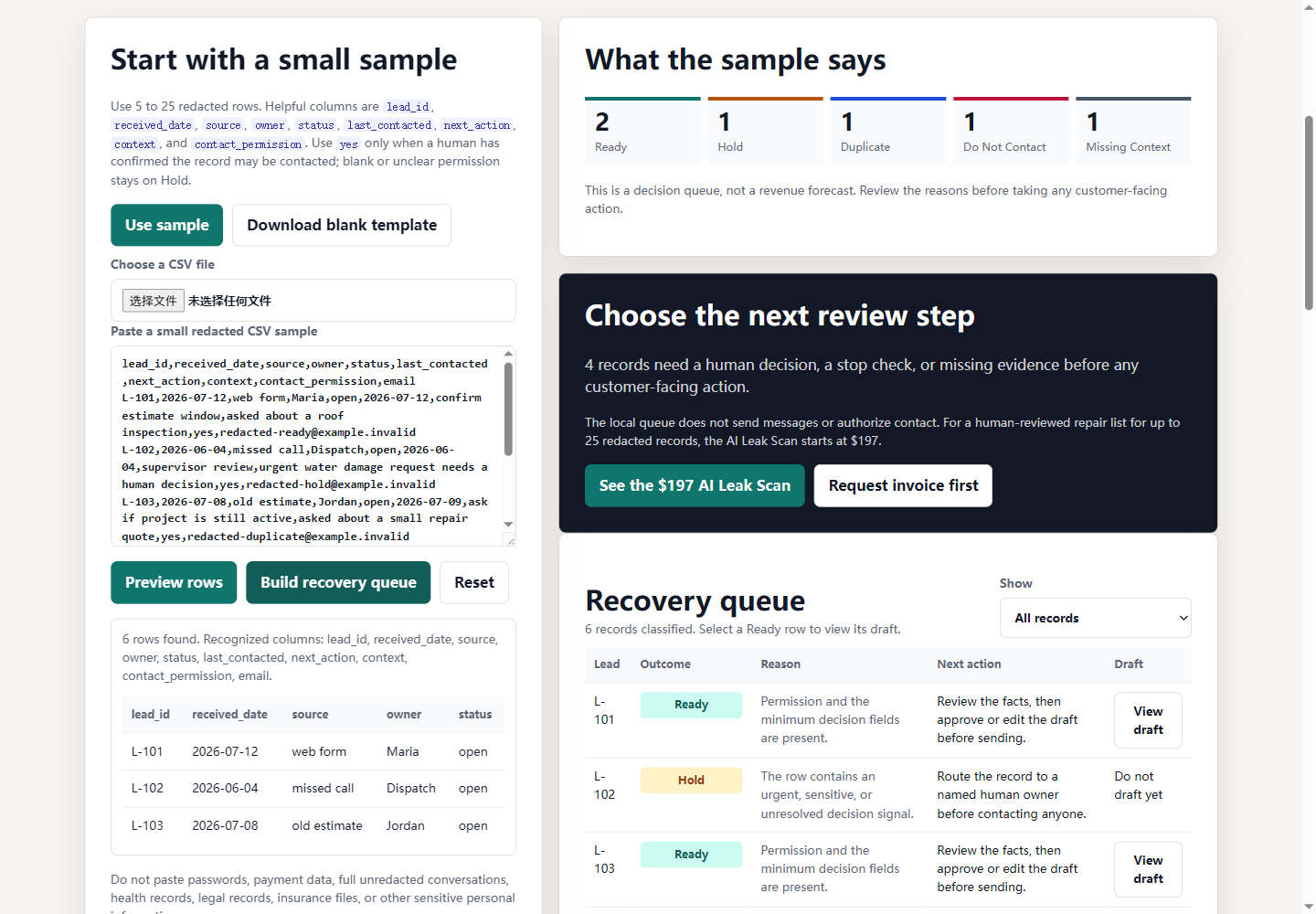
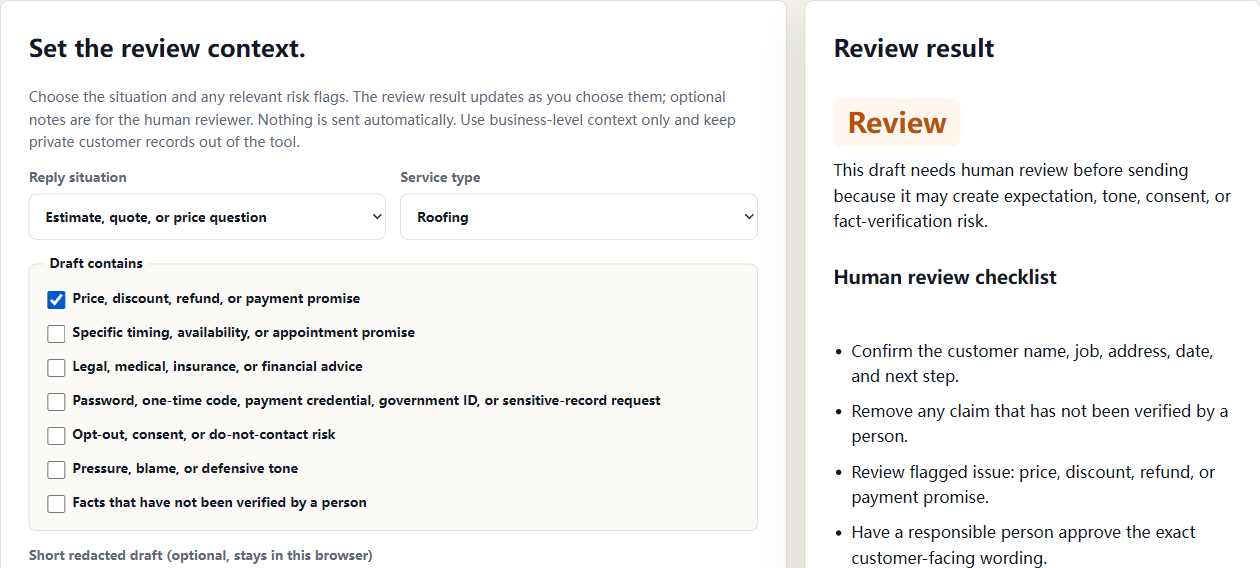
Try it without sharing your data: the free tools run locally in your browser. Pasted text and selected CSV files are not sent to AI Cleanup Doctor, and no account is required. Use public context or redacted examples only; do not enter passwords, payment data, full inbox exports, customer lists, or regulated records.
The $197 AI Leak Scan is designed for owners who want a practical read on missed calls, form routing, old estimates, reply risk, and owner handoffs before committing to a larger cleanup sprint.
Review how storm, hail, heat, freeze, or flood inquiries reach your business and who follows up. The $197 AI Leak Scan checks an agreed demand and response path. Any landing-page work or broader follow-up support is scoped separately.
Choose the guide for your service: roofing, HVAC, plumbing, or water restoration. Each explains which inquiries to review, what evidence helps, and where a person needs to approve the next step.
For roofers handling hail, wind, and storm damage inquiries where the page works but follow-up leaks.
For HVAC companies facing heat wave, freeze, AC repair, or emergency seasonal demand spikes.
For plumbers that need urgent plumbing calls, forms, and quote requests tied to a visible next step.
For restoration companies responding to flood and water damage demand after storms or local incidents.
The free browser tool turns a small redacted sample into a decision queue. The paid work adds human verification, evidence notes, and a bounded repair plan when the records are unclear.
Compare hypothetical missed-reply, old-estimate, and weather-demand scenarios using your own assumptions. The calculator does not measure actual lost or recovered revenue.
Estimate whether missed calls may deserve a cleanup review before spending more on ads or lead sources.
Estimate whether slow replies, unclear ownership, and delayed callbacks deserve a cleanup review.
Review where recent requests landed, who owned the first response, which replies were useful, and which statuses are supported by the record.
Create a respectful draft for old estimates, missed calls, slow form replies, weather demand, or AI-assisted reply review.
Check whether AI-drafted customer replies need human review before they create promise, tone, consent, or sensitive-data risk.
Generate a quick priority checklist for missed calls, web forms, old estimates, AI drafts, and slow replies.
Use short, safe answers for revenue leaks, old estimates, weather demand, and agency cleanup partnerships.
A practical field report for missed calls, slow replies, old estimates, weather demand, owner visibility, and AI handoffs.
The first step is a local-only sample queue. The paid step adds human review for ambiguous rows. A broader repair scope is discussed only after the evidence is clear.
Use 10 to 25 redacted rows with the source, owner, status, next action, context, and contact permission fields you can safely share.
No CRM password or automatic sending is required.
Each row lands in Ready, Hold, Duplicate, Do Not Contact, or Missing Context so the next decision is visible instead of hidden in one status.
A Ready row still needs human approval before any message.
If the sample needs more context, the $197 AI Leak Scan adds a bounded human review and repair list for up to 25 redacted lead records.
The queue is a decision aid, not a revenue forecast. Review the starting option
Use the $197 AI Leak Scan when old quotes, estimates, inspections, or proposals may be sitting in the system. The scan identifies whether a limited recovery step is appropriate, without sending a blast or assuming every old record is contactable.
Explore the old-estimate review path
Weather-Triggered Money Pages can bring urgent storm, heat, freeze, and flood demand. Start with the $197 AI Leak Scan to inspect one demand path before discussing any broader response support.
Score weather demand readiness
This is discussed only after the first findings show a recurring review would be useful.
The prefilled business and numbers are fictional examples. This browser-side worksheet uses your selections; it does not scan the website, call an AI service, verify records, or replace the paid human review. Enter only public business details or redacted notes.
Example method: the ten checks have weights of 10, 12, 10, 9, 11, 8, 9, 7, 8, and 8 (92 total). Working adds no flag weight, Unknown adds 55% of its weight, and Broken adds its full weight. The checklist score is 100 minus the flagged share, rounded to a whole number. The dollar scenario multiplies inquiries by job value and an illustrative 6%, 11%, or 18% coefficient at scores of 70 or more, 45 to 69, or below 45. These assumptions are not validated loss rates or a revenue forecast. Empty, negative, or non-finite numeric entries are treated as zero.
Enable JavaScript to calculate the example from the selected checklist answers. This is not a verified business assessment.
Review website forms, inboxes, missed calls, AI drafts, CRM sheets, and handoff points.
Rank each leak by customer impact, revenue risk, repair difficulty, and owner confidence.
Install a human-approved follow-up flow with reply drafts, owner alerts, and a simple tracking board.
Leave the client with a short operating checklist and a monthly cleanup option.
The scan focuses on what owners can verify: form alerts, response speed, missed-call recovery, follow-up ownership, AI draft control, old estimates, and weekly visibility.
For a confirmed AI Leak Scan, the standard 48-hour delivery window begins after payment, scope, and the smallest safe intake packet are confirmed. If material is missing or needs clarification, George confirms the revised timing before delivery work starts. View the sample AI leak scan or compare sample reports.
A seven-day sprint can be discussed after the scan. Scope, price, access, and start date are confirmed separately before repair work begins.
For the first scan, do not include passwords, payment cards, sensitive customer data, or private system credentials.
Local service businesses that already receive leads but lose time, money, or trust through slow response, messy follow-up, missed calls, old estimates, or unmanaged AI drafts.
The first paid scan gives a prioritized leak report. Sprints add repair templates, tracking boards, response scripts, and operating notes.
No passwords are needed for the basic scan. If deeper setup is requested later, access decisions are made case by case with written approval.
No. The scan identifies practical follow-up problems and documents a safe next action. It does not promise revenue, rankings, ad performance, or customer outcomes.
Weather-Triggered Money Pages helps capture event demand. AI Cleanup Doctor helps the business respond quickly enough to keep that demand from leaking.
Use the order page to start with the $197 AI Leak Scan by PayPal or invoice. Any larger support is discussed only after the first findings are clear.
The $197 AI Leak Scan is the first purchase for every situation, including weather-driven leads. It maps one visible gap before any larger support is discussed.
The order page provides a $197 PayPal path and an invoice request fallback. Larger or recurring work is never charged from a generic menu.